

A quick search for “online fax service” will deliver a lot of options, all with their own suites of tools and specialties. If you’ve never faxed over the internet before, it’s different from using a fax machine to send and receive documents. It’s more convenient and potentially less costly than buying a dedicated fax machine tied to a land phone line.
But how do you pick out an online fax provider? What features should you look for in online fax services? What are the types of features that online faxing websites provide?
Ease Of Use: How Easy Is the Online Fax Service?
The number 1 factor determining whether or not you should use an online fax service is the ease of use. A good user experience in an interface that you can understand seals the deal. If you can’t figure out how to send or receive a fax with an online service, or need a decoder to determine whether your faxes went through, you probably shouldn’t use that service. The best services have easy-to-use fax dashboards showing sent, received and failed transmissions.
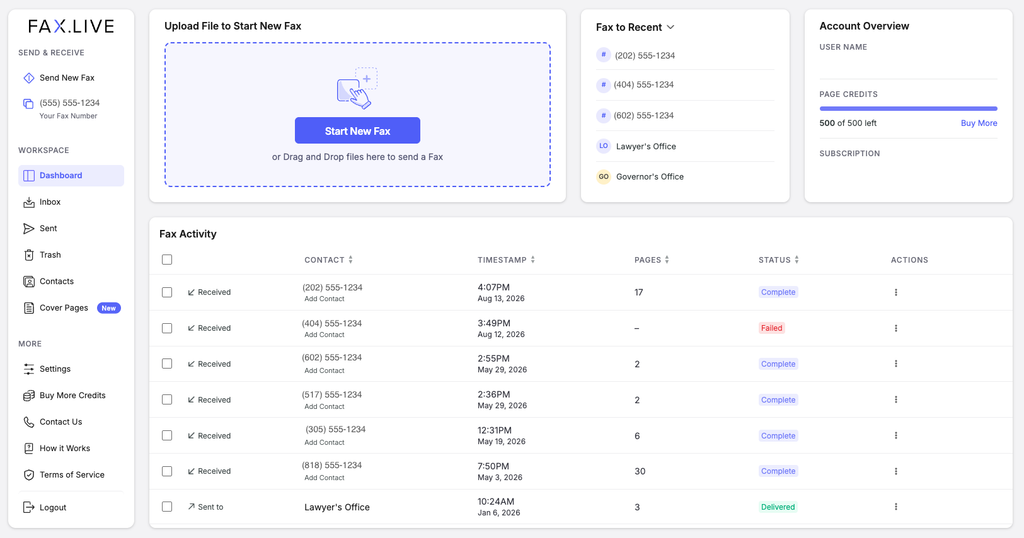
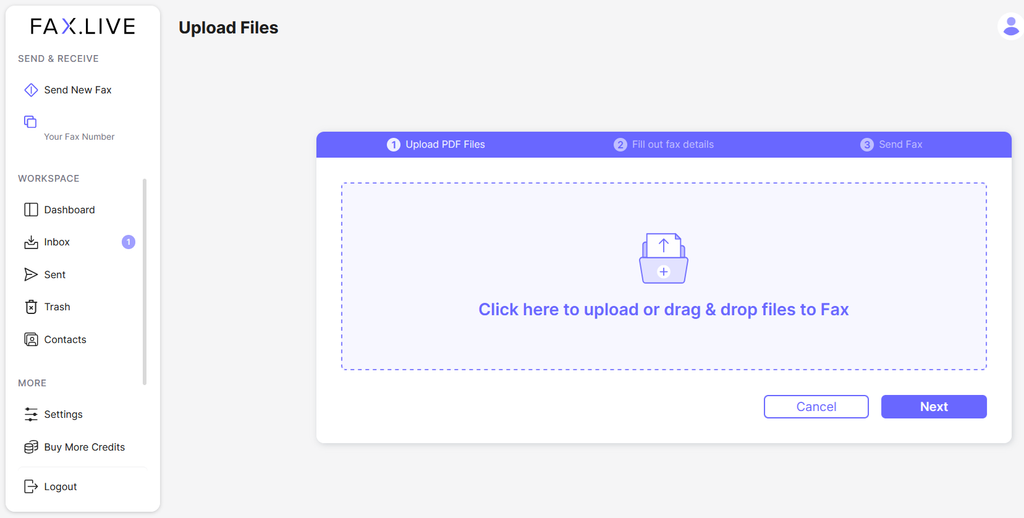
Simply drag and drop your file and follow the prompts to enter your recipient’s information, add an optional free cover sheet, and include a note for your recipient.
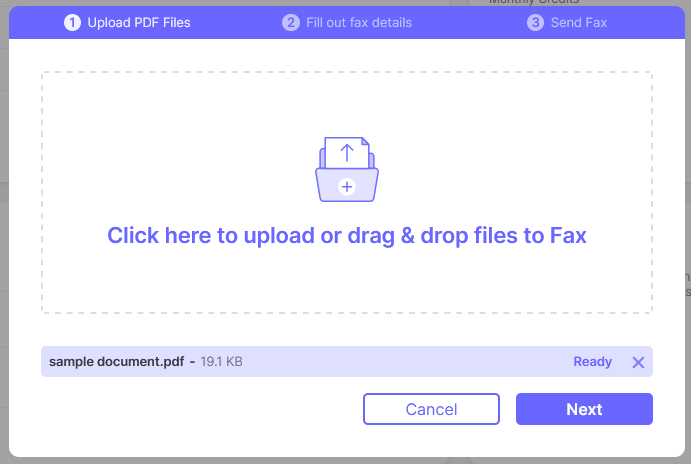
Is Fax.Live easy to use? Yes, it’s very easy to use. See how it works by browsing our features articles.
Free Trial: Does the Fax Service Let You Try Before You Buy?
Determining how intuitive an online fax provider is tricky without being able to get into the service and try it out. Look for free trials, like Fax.Live’s free trial fax, to try out digital faxing before committing any money to a platform. Our free trial lets you see how sending a fax works: You upload the document you want to fax, enter the recipient’s fax number, and then start transmitting!
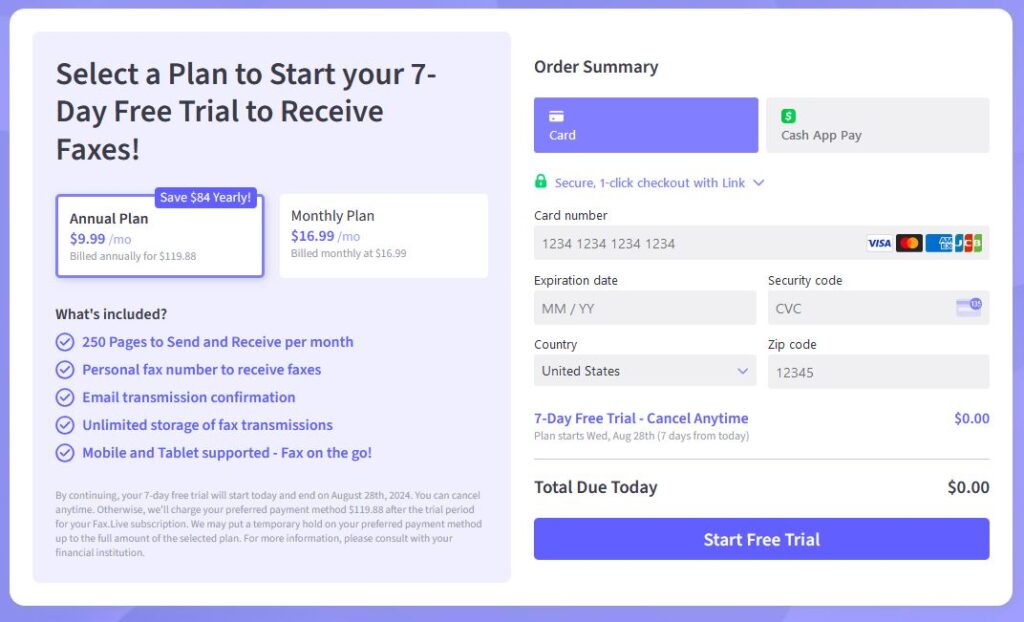
Does Fax.Live include a free trial? Yes, we currently offer a 7-day free trial.*
Fax Number: Does the Fax Service Include a Free Phone Number?
A fax number is a telephone number that’s used as a “fax address” for sending and receiving faxes. It’s how fax machines know where to send your faxes and is necessary to make sure your documents get to the right place. With a fax number, you can share it to receive faxes. The best fax provider will include your own dedicated number for free.
Does Fax.Live offer a free fax number? Yes, all subscribers in good standing have their own dedicated fax number.
Low Cost: How Much Does the Fax Service Charge?
The pricing structure of online fax providers differs from service to service. For example:
- Subscription-based payment plans that charge a monthly fee for unlimited faxing
- Credit-based plans that allow you to buy credits that deduct per sent and received fax, depending on the number of pages
- Hybrid plans where you buy a certain amount of credits each month to use for faxing
- Enterprise plans, for high-volume users
The right pricing structure for you is determined by how often you plan to fax. One-time faxes to a healthcare provider, for example, would be better with a credit-based plan where you purchase just the minimum credits. If you fax a lot, you may want a subscription or hybrid plan where you can purchase the credits you need every month.
How much does Fax.Live cost? We offer a 7-day free trial, monthly plan at $16.99, and an annual plan at $9.99/month billed annually.*
Document Storage: Does the Fax Service Delete or Save Faxes?
Some online fax providers provide cloud-based document storage that lets you access your sent and received faxes at any time from any device that’s logged into your fax account. This is an awesome advantage of digital faxing, as you don’t have to print out faxes you receive and make sure that you keep the physical version somewhere safe. Just log into your account and access them at any time.
Does Fax.Live provide unlimited, secure online storage for faxes? Yes. This post on Fax.Live’s dashboard explains how it works.
Document Editing: Can You Make Changes to a Document Before Faxing?
Making quick edits or changes is very common when reviewing a document you’re preparing to fax. What if you could make these changes directly in the fax interface?
Some fax providers, like Fax.Live, have fax editing capabilities so you can make minor changes without having to open a document in a document editor. No need to re-export or save it; just make your changes directly in the fax interface and then send the revised document. Especially convenient on the go!
Look for document editing features like:
Does Fax.Live have a document editor? Yes, we offer a built-in fax editor that lets you annotate, sign, and add and remove pages so you can make light edits before sending a fax.
Mobile Capability: Can You Fax From a Mobile Phone?
Faxing on the go with smartphone capabilities is a must in a digital fax service. A fax service like Fax.Live works on almost any device with an internet connection. It allows you to fax with your smartphone, laptop, tablet, or desktop computer.
Our faxing service is compatible with mobile devices, so you can upload documents for faxing or download them from your Fax.Live account to access from anywhere. This is especially convenient if you don’t have a scanning machine, as you can use a document scanning app to take pictures of a document and then fax them all from your phone. Learn how to do this here.
Fax Activity: Where Can You See Your Fax History?
Good digital fax services have fax activity logs where you can view a history of all the faxes you’ve sent and received. This is useful for finding older fax numbers, checking for older documents you may still need, or reviewing any faxes that you sent in the past. Look out for fax activity logs that have an inbox where you can see any new faxes that you receive.
Does Fax.Live offer a fax dashboard? Yes, all active subscribers have their own personal dashboards where they can see and manage sent, received and failed fax transmissions.
Fax Confirmation: How Are Sent & Received Notices Delivered?
A useful feature for digital faxing is a confirmation of whether a fax has been successfully transmitted or not. Fax confirmations will also indicate whether a transmission was interrupted or a fax number was incorrectly entered. If a fax isn’t received or sent successfully, a good fax service will notify you immediately, so you can re-send it. Look for digital fax services that notify you of the status or progress of a fax and quickly give you sent and received confirmations.
Does Fax.Live send fax confirmations? Fax.Live sends email notifications, whether a fax was sent, received or did not go through. Our customers can also log into their accounts and check the status of faxes on their activity logs.
Fax Cover Sheet: Are Cover Sheets Included?
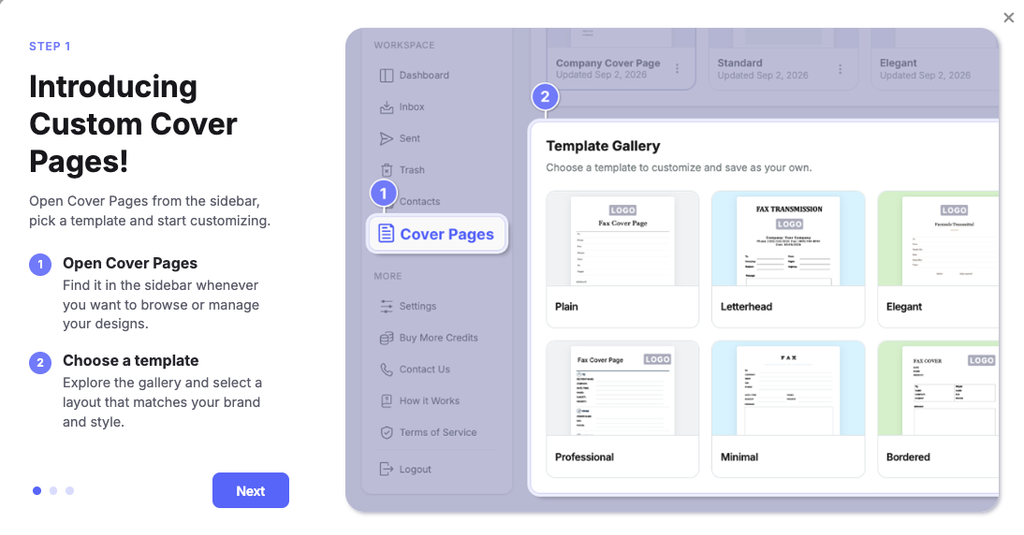
Fax cover sheets are pages placed before the rest of your fax that contain information about who it’s intended for and, optionally, why you’re sending it. It’s similar to an envelope for a piece of mail. While not completely necessary for sending a fax, it helps the recipient identify who’s sending them a fax and why. It also provides a small layer of privacy, as someone glancing at a fax won’t be able to immediately see the information in it; they’ll only see your cover page.
Look for fax services that include free cover sheets, rather than requiring your own.
Does Fax.Live offer cover sheet templates? Yes, there is an option to add a cover sheet when you send a fax, including a library of custom cover sheets.
Fax Signing: Can You Sign a Fax?
Some online fax providers like Fax.Live allow you to sign documents within the fax platform. This makes it so you don’t have to download, print, and re-scan your document once you’ve signed it.
Fax signing makes it very convenient to create a digital signature and then place it anywhere in the document that you need to sign. By signing a document online with Fax.Live, you can conveniently receive a contract, sign it in the Fax.Live dashboard, and then just send the document right back!
*Subject to change without notice.
ID 115016203 | Yanawut Suntornkij | Dreamstime.com