

A fax signature is easy with Fax.Live. Fax.Live allows you to add signatures to any fax that you’ve received or want to send. Save and reuse signatures to add to new faxes or create a new signature and add it to your fax.
The signature tool is just one of many that Fax.Live offers for editing and faxing documents. Fax.Live is a digital fax service that lets you send and receive faxes online without any third-party downloads or fax machines. Simply upload a PDF of your document and enter your recipient’s fax number to start. You can also receive documents through Fax.Live, which makes it easy to sign and then send it back.
Signing a Fax
1. Log into Fax.Live and navigate to the Fax Activity area of the dashboard. Hover over the Actions tab and click Sign. (First-time users, see: How to Set Up a Fax.Live Account.)

2. In the Fax.Live editor, click the Sign tab. Then, click New Signature.

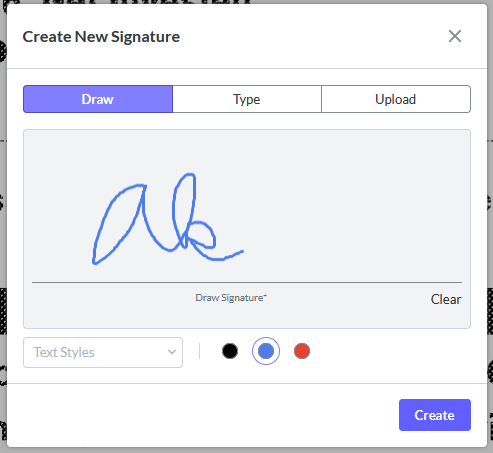
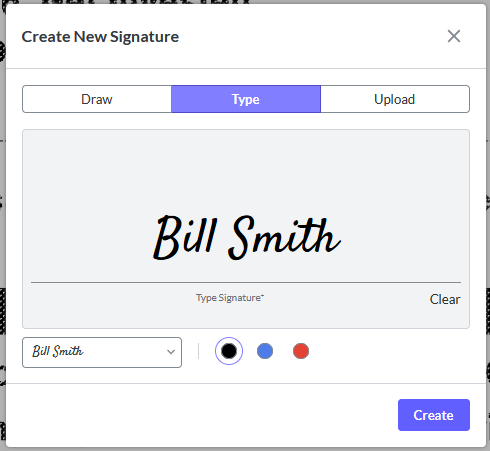
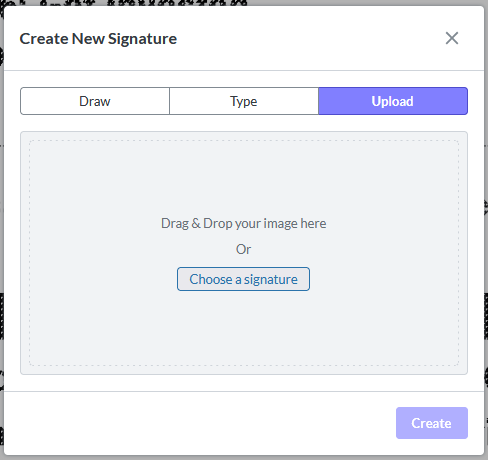
3. Here, you can either Draw your signature, type your signature out, or upload a picture of your signature. Let’s walk through each:
Draw your signature with your mouse cursor in the displayed field. You can change the pen color and use Clear to erase a signature you want to re-do.
Type your name. A cursive signature version of your name will be generated. Use the drop-down to select one of four script-style fonts.
Upload a picture of your signature that you’ve hand-drawn from your computer. You will need to upload it in an image format (PNG or JPG).
4. Once you’re happy with your signature, click Create. Your cursor will turn into a box with your signature. Click anywhere on your document to place that signature.
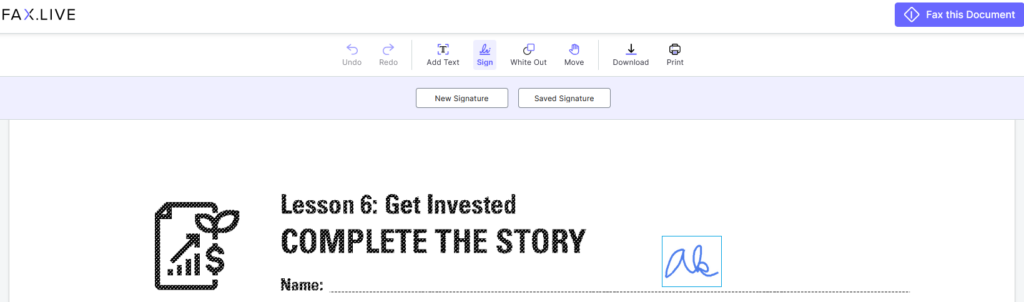
5. Click the signature again to either Move it around or the Trash can icon to remove it entirely.

6. Once you’ve created a signature, you can click the Saved Signature button to use it again within that same document.

FAQs About Faxed Signatures
Are faxed signatures legally binding?
It may be, depending on the context. We at Fax.Live are not legal experts (this isn’t legal advice), so before you enter into a contract, consult a trusted licensed attorney or legal professional.
Can I sign faxes I’ve sent and received?
Yes, you can sign any fax you’ve received or sent with the Fax.Live signature tool. You can receive a fax, sign it, and then send it right back using Fax.Live.
Do I need to draw my signature, or can I upload a facsimile?
You can draw your signature if you prefer to use your mouse cursor to create it. However, you also have the option to upload a photo or scan of your signature for placement in a document.
Can I save my signature to use again later?
You can save your signature for pasting multiple times in a single document. However, if you want to sign a new document, you will need to create a new signature. You cannot create a signature for one document for use in a different document.