

The purpose of a fax cover sheet is to let people on the receiving end know who the message is intended for, who the sender is, and special instructions for handling the fax.
In this post, we’ll show fax cover page examples, as well as examples of what to write on a fax cover letter.
Example of a Free Facsimile Cover Sheet
When you use Fax.Live, you have access to an optional free fax cover sheet. You may use your own, or use the built-in optional free cover sheet, shown here.
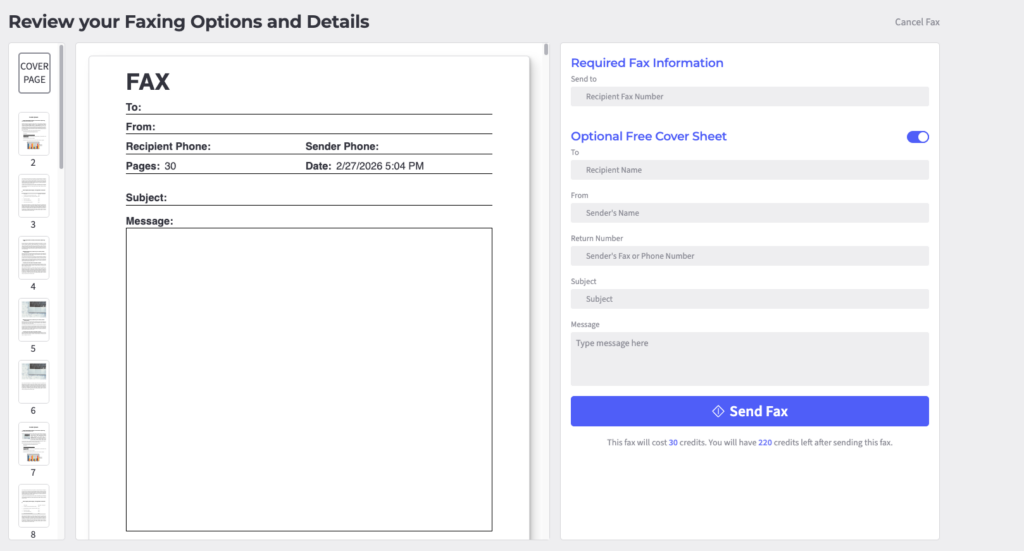
Fax.Live’s built-in fax cover sheet is simple. The only required information is the send-to fax number. When you toggle Optional Free Cover Sheet, you can add recipient’s name, sender’s name, return number, subject and message. None of the fields are required; all of them are optional.
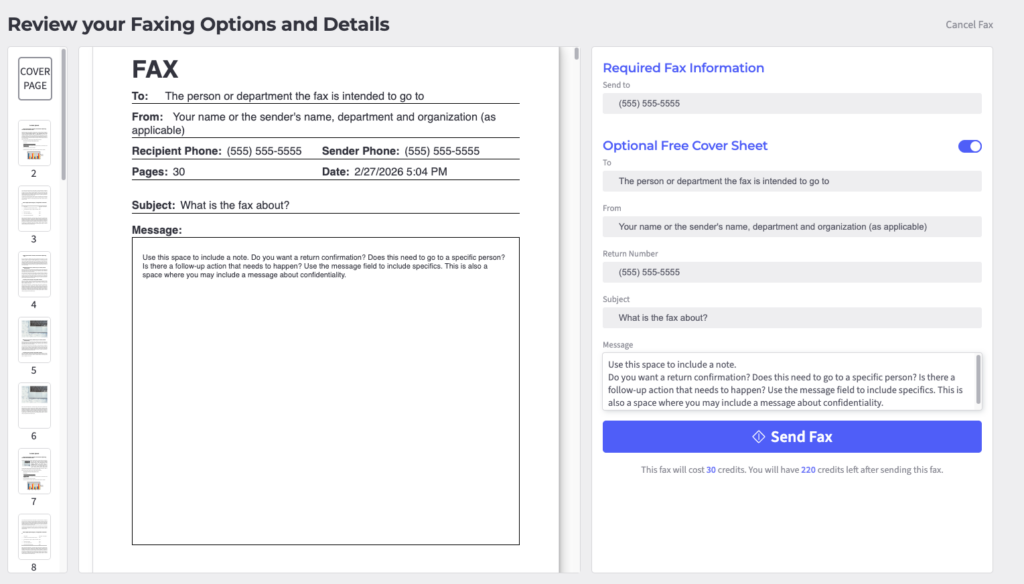
- Recipient’s name: Enter the name of the person, people or department to whom the fax should be delivered.
- Sender’s name: Enter your name or the person on whose behalf you are faxing.
- Return number: Use this field if you want your recipient to reach you at a number other than the one Fax.Live assigns to you.
- Subject: Give a brief description of what the fax is about, similar to what you would write in the subject line of an email.
- Message: Use this field for a personal greeting, special instructions or, if desired, to include a request to keep the contents of the fax confidential.
Examples of Fax Cover Letters
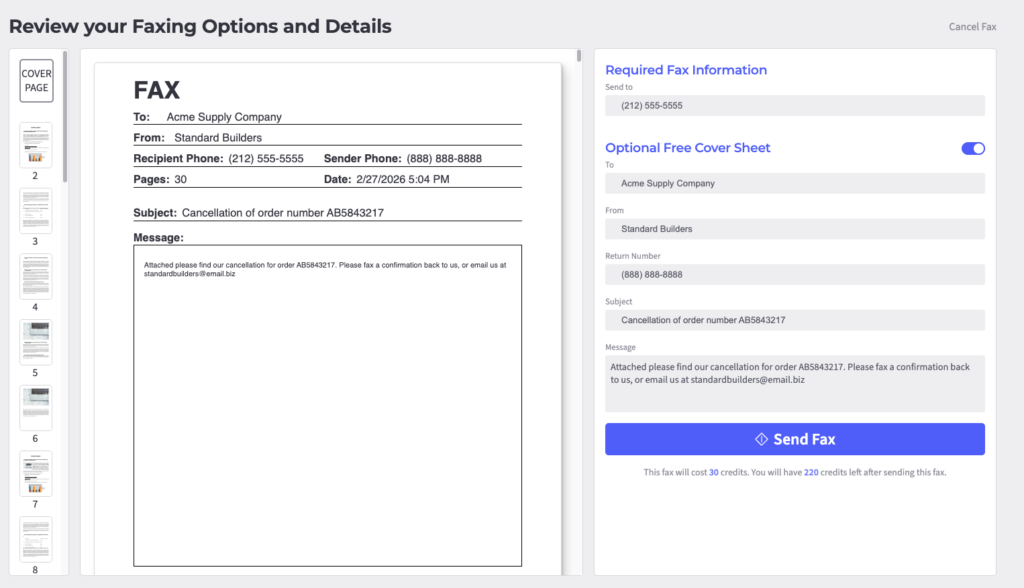
Above is an example of a fax cover letter using the free form offered by Fax.Live. Use the form on the right, and the text as it appears on the actual fax cover sheet appears on the left.
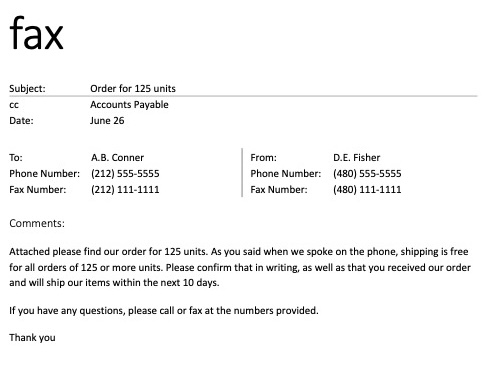
Above is an example of a business fax cover sheet using a Microsoft Word template for a business that is placing an order by fax.
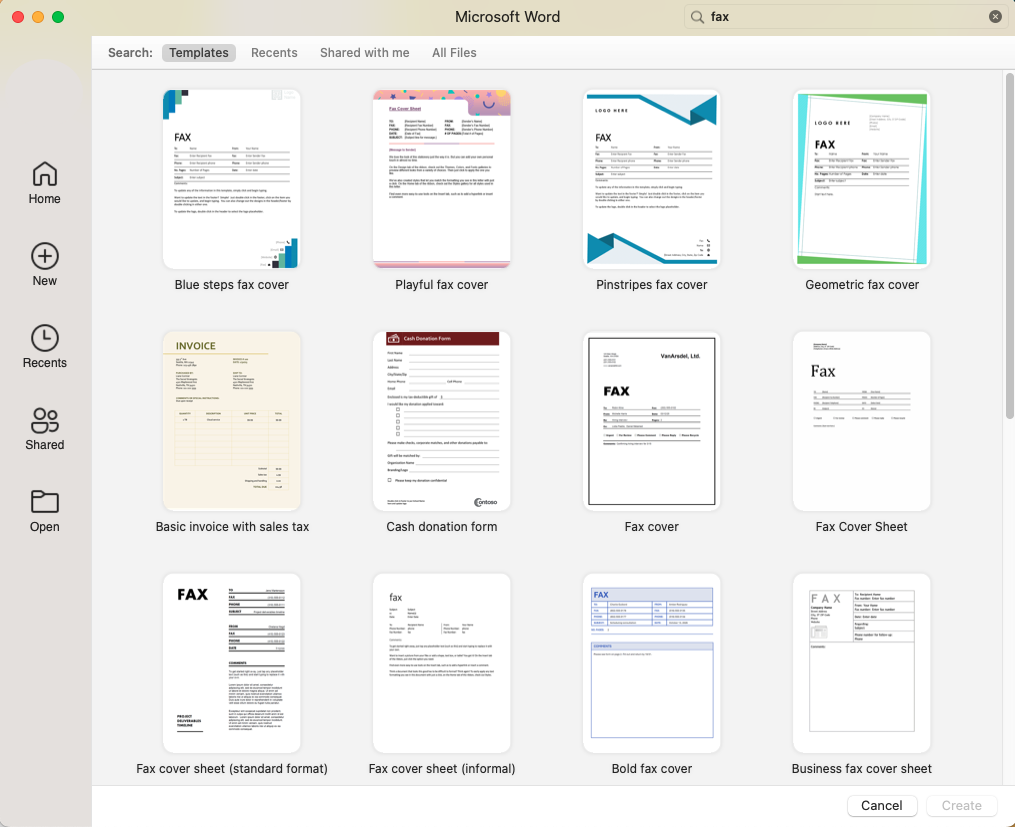
Above is an example of Microsoft Word fax templates. Get more free fax templates from Fax.Live.
Do’s and Don’ts for Fax Cover Letters
Do’s
- Include your name, phone number, and email address.
- Add the recipient’s name, company, and fax number.
- Write the date (Fax.Live will automatically fill this in if you use our online form).
- State how many pages are included with the cover sheet (Fax.Live automatically calculates this).
- Write a short, clear subject line.
- Keep your message to 2–3 sentences.
- Mark it “Confidential” if the content is sensitive.*
Don’ts
- Don’t skip the page count — if pages go missing, the recipient needs to know.
- Don’t write a long message on the cover sheet — save that for the actual document.
- Don’t forget to double-check the fax number before sending.
- Don’t use tiny fonts — stick to 12pt or larger for easy reading.
- Don’t leave the subject line blank.
- Don’t include sensitive personal data (Social Security numbers, account numbers) on the cover sheet itself.
”Confidential” on a fax cover sheet is just a courtesy label; it carries no legal weight or protection.
ID 125182070 | Cover Letter | Fizkes | Dreamstime.com