

What is an electronic fax? An electronic fax, or e-fax, is sent and received over the internet rather than through a traditional phone line and fax machine.
Faxing from your PC or mobile device requires minimal setup. Fax.Live is an e-fax service, a web-based platform that you can use to send a fax without a fax machine using your web browser. New users are invited to a 7-day free trial.* You’ll find that setting up an electronic fax service is much easier than setting up a fax machine.
How To Set Up a Fax.Live Account for Electronic Faxing
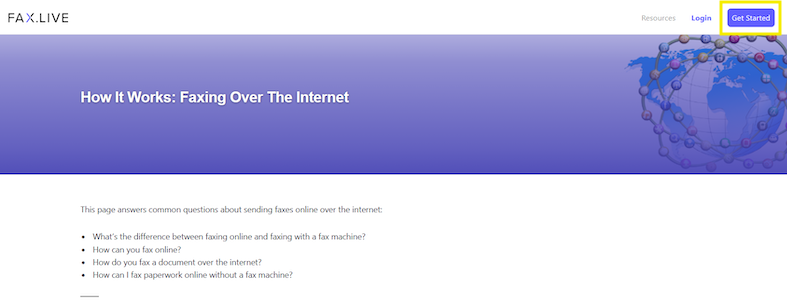
1. Select Get Started or Login
Select Get Started at the top of the Fax.Live website. If you already have a Fax.Live account, select Login.
2. Upload Your Document
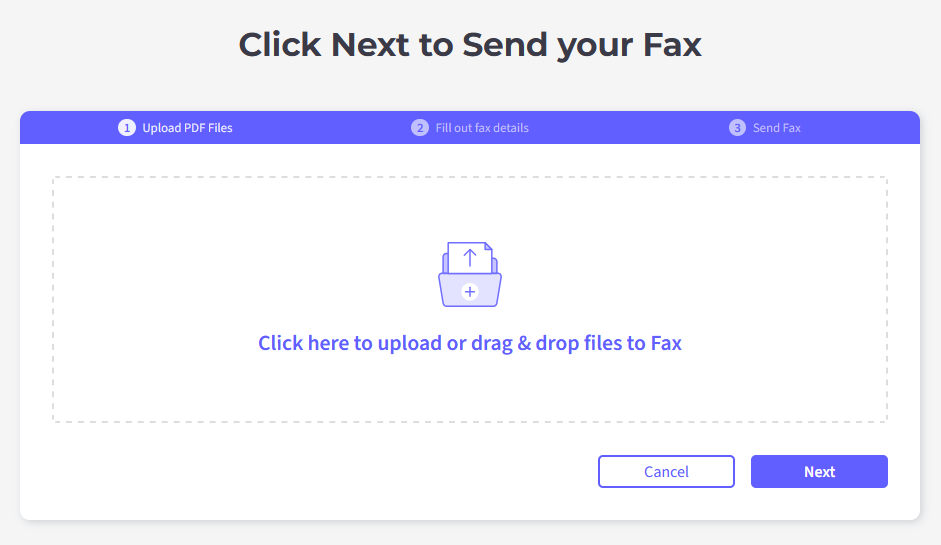
Upload your PDF to fax. Drag and drop your PDF from your computer to Fax.Live’s drop zone, or click the upload icon and navigate to where your PDF is stored.
3. Enter your Fax Details.
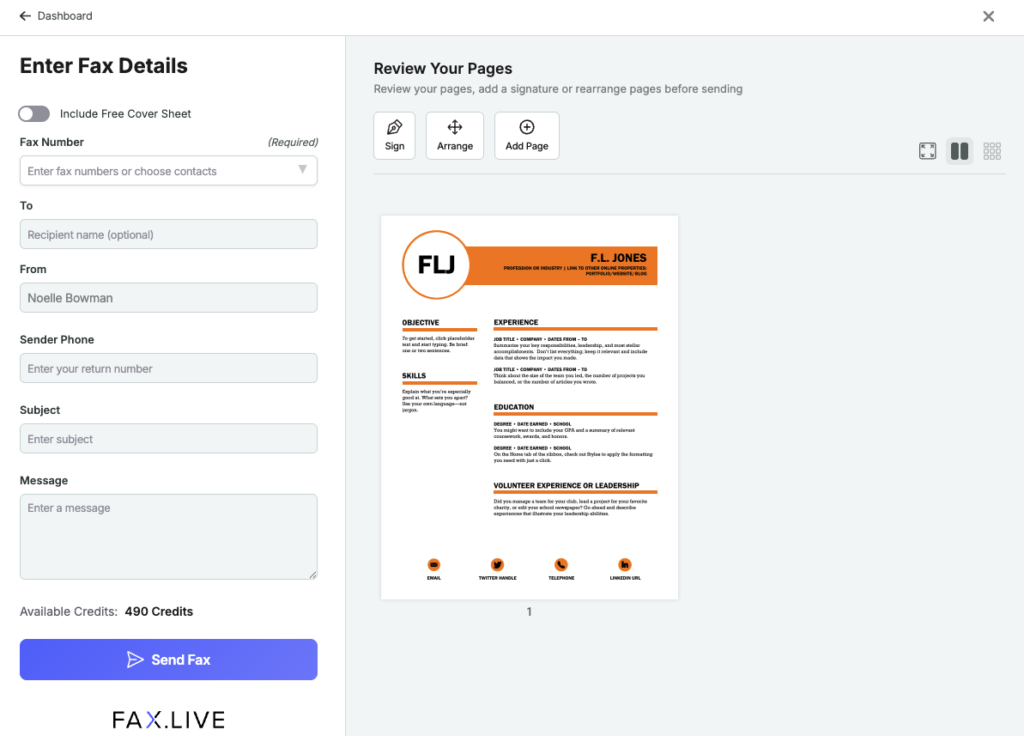
Enter your recipient’s fax number. You may add an optional cover sheet that Fax.Live will place in front of your document.
Click Send Fax and keep the browser page open until Fax.Live confirms the fax has been sent and it is safe to close the page.
4. Create Your Fax.Live Account
If you are new to Fax.Live, you’ll be asked to create a Fax.Live account to send your fax.
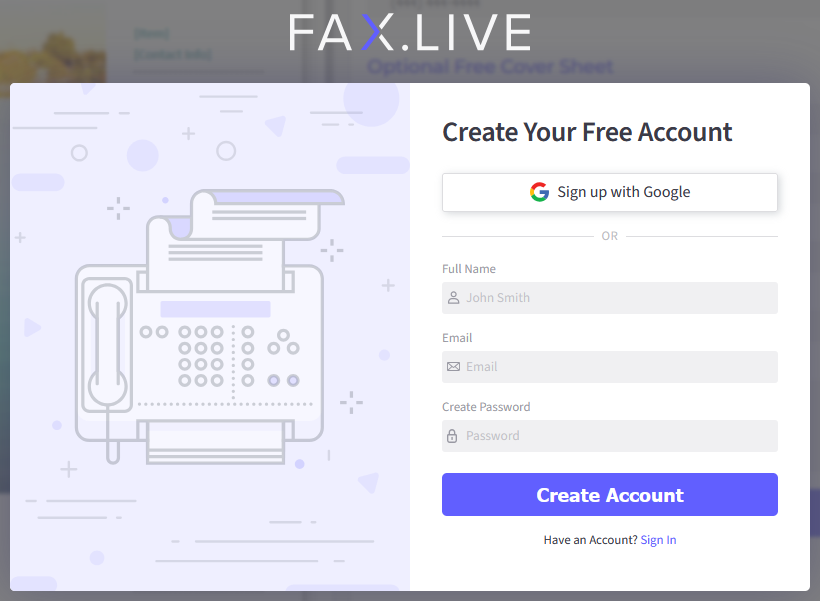
You can create an account with your email or use a Google account to log into Fax.Live. We ask you to attach a payment source to your account. You will not be charged for a free trial, and you can cancel at any time before you are charged.
Answers FAQs About Electronic Faxing
Do I need a fax machine for electronic faxing?
You do not need a fax machine to electronically send a fax. A fax machine typically requires a landline phone connection to operate. Fax.Live’s fax service is entirely online, which means you can send and receive faxes without a fax machine.
Do I need an email account to receive electronic faxes?
Yes, to set up your Fax.Live account, you will need an email address to send and receive electronic faxes. While you will be notified via email that you recently received a fax, the fax itself will be found in the inbox of your Fax.Live account.
How do I receive electronic faxes?
When you set up an account with Fax.Live, you are issued a free fax number. To receive electronic faxes, give that number to the sender, and they’ll simply enter it on their fax machine or electronic service. When Fax.Live receives the fax, you’ll receive an email. Log into your account, go to your Workspace and select your Inbox.
Does the person I’m sending a fax to have to have an electronic fax setup?
Your recipient does not need to be using an electronic fax service to receive your fax. The fax will go through whether your recipient is using a traditional fax machine or an electronic fax service.
What format does my file need to be to send electronically?
Our online fax service works only with PDF formats. You can use PDF.Live’s PDF converter to convert a DOC, DOCX, PowerPoint, or Excel document to a PDF. You can also Save your document as a PDF using most document editors, such as Microsoft Word and Google Documents.
Can I set up a document to fax electronically from my phone?
Yes, Fax.Live’s fax service works on most smartphones. Learn more about how to fax from a cell phone.
How do you know when an electronic fax has been sent?
Fax.Live provides fax confirmations three ways: on-screen immediately after the fax has been sent, through email receipts, and through the Fax.Live dashboard.
How do I set up an electronic fax to be delivered to my email?
Your Fax.Live account is connected to your email. When you send and receive faxes, you’ll receive email notifications. Click the link in the email notification, which will open your Fax.Live dashboard.
Are electronic fax apps secure?
Electronic faxing is generally considered more secure than email. Fax.Live uses encryption to protect your documents in transit and at rest. Learn how faxing can be safer than email.
*Fax.Live offers a 7-day free trial to new users. Your account will be charged according to your chosen subscription at the end of the free trial. You can cancel your subscription at any time by logging into your account. Your cancellation will take effect at the end of the current paid term. If you have any questions or are unsatisfied with our services, email us at contactus@fax.live.
ID 25313802 | Test | Charlieaja | Dreamstime.com